
Integrations
Connect Tidepost to the tools you already use.
Webhooks, a REST API, email, feeds, a calendar and single sign-on. Every integration is built on an open standard and included in every plan.
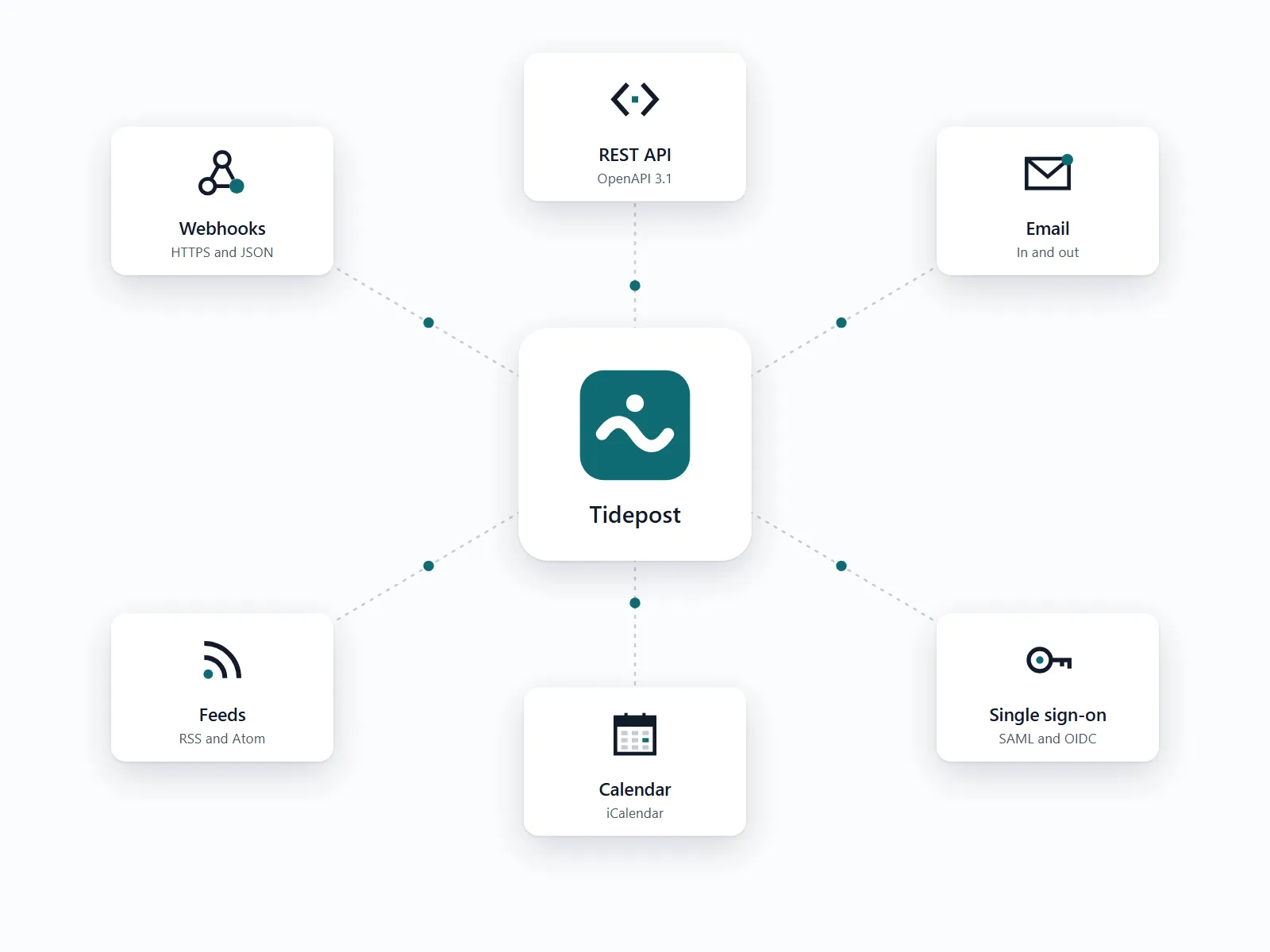
Six ways in and out
Pick the ones you need and combine them. None of them sends data anywhere you have not chosen.
Outgoing webhooks
Signed JSON for every incident and update, sent to any address that accepts HTTPS.
REST API
Create incidents, post updates and read uptime from your own deploy scripts.
Email in and out
Open an incident by writing to a private address. Subscribers get updates as plain text email.
RSS and Atom feeds
A feed per status page and per component, for feed readers and internal dashboards.
Calendar feed
Scheduled maintenance as an iCalendar feed that your team and your customers can subscribe to.
Single sign-on
SAML and OpenID Connect for your own login, with roles taken from your identity provider.
Built on standards, so you are never locked in.
Every integration uses a format that other tools already speak: HTTPS with JSON, email, RSS, iCalendar, SAML and OpenID Connect.
If you leave, export incidents, subscribers and uptime history as CSV and JSON. The export is part of every plan.
Missing a tool? Most of them accept webhooks or read a feed, and our guides show the settings for the common cases.
Need something the API cannot do yet? Tell us. Requests from customers decide what we build next.
Connect a webhook in four steps
01
Create an endpoint
Add the address that should receive events and choose the components it covers.
02
Copy the secret
Each endpoint gets its own signing secret. Check the signature before you trust a request.
03
Send a test
Tidepost sends a sample incident, so you see the payload in your tool right away.
04
Watch the log
Every delivery is logged with status and response time and retried up to five times.
We connected our ticket system with one webhook during a lunch break. It has not missed an event since.
Mattis Okonkwo-Lind, Platform Engineer, Quillbridge Analytics
Integrations
Tell us what you want to connect.
Send us the name of the tool and what should happen. We reply with the settings or put it on the list for the next release.
- Write to support@example.com
- Current service status on our status page
- Chat with support inside the app on every plan