
Status pages and incident updates
Tell customers what is happening before they ask.
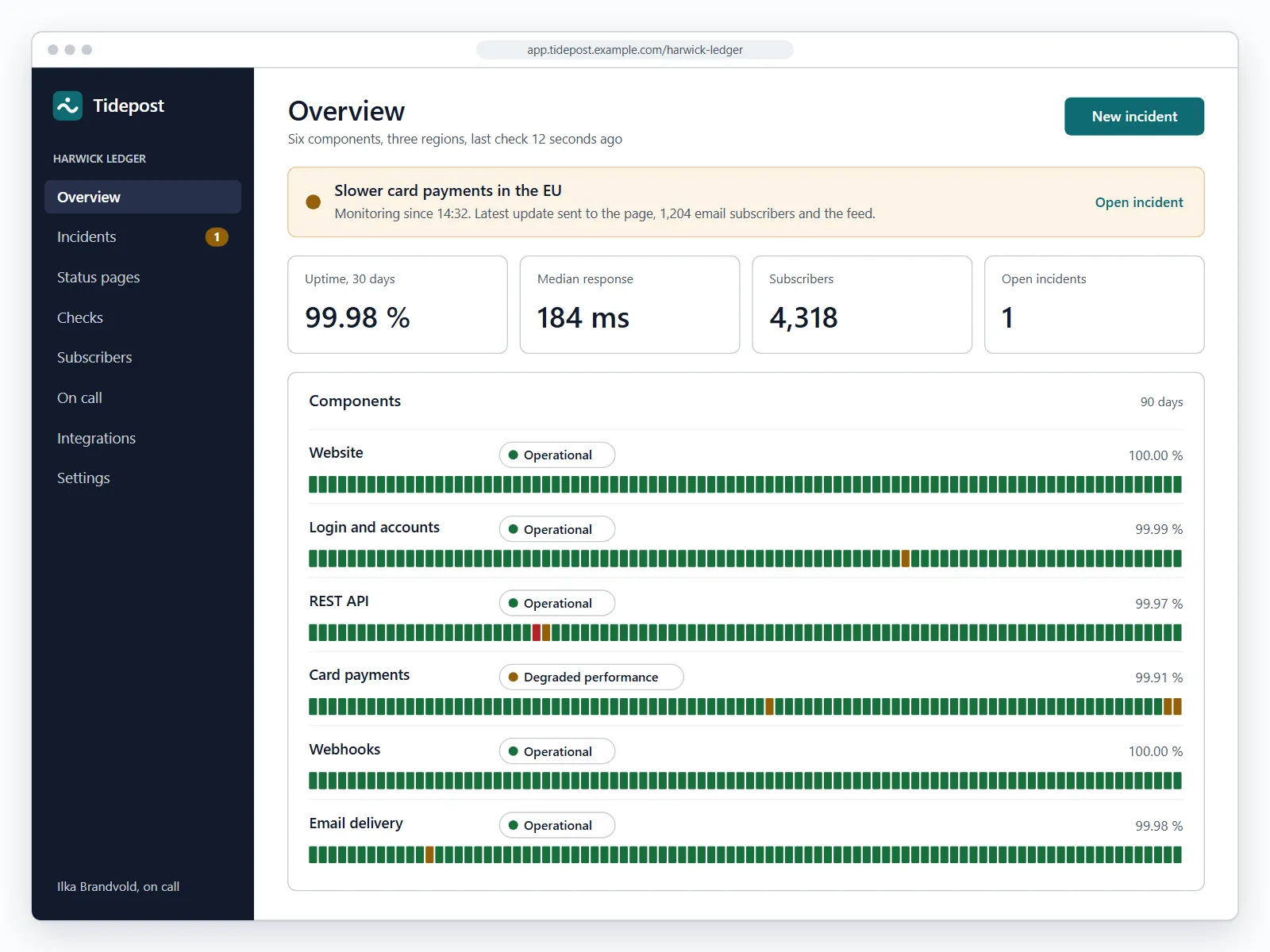
Tidepost checks your services every minute, opens an incident when two regions agree and sends one update to your status page, your subscribers and your support team.
Status pages for teams at
From the first failed check to the last update, in one place
Six parts that work together, so nobody copies an update from one tool to the next.
Uptime checks
HTTP, TCP and heartbeat checks from three regions. An incident opens only when two of them agree.
- HTTP, TCP and heartbeat checks
- Every 60 seconds on every plan
- Alerts by email, chat and phone
Status page
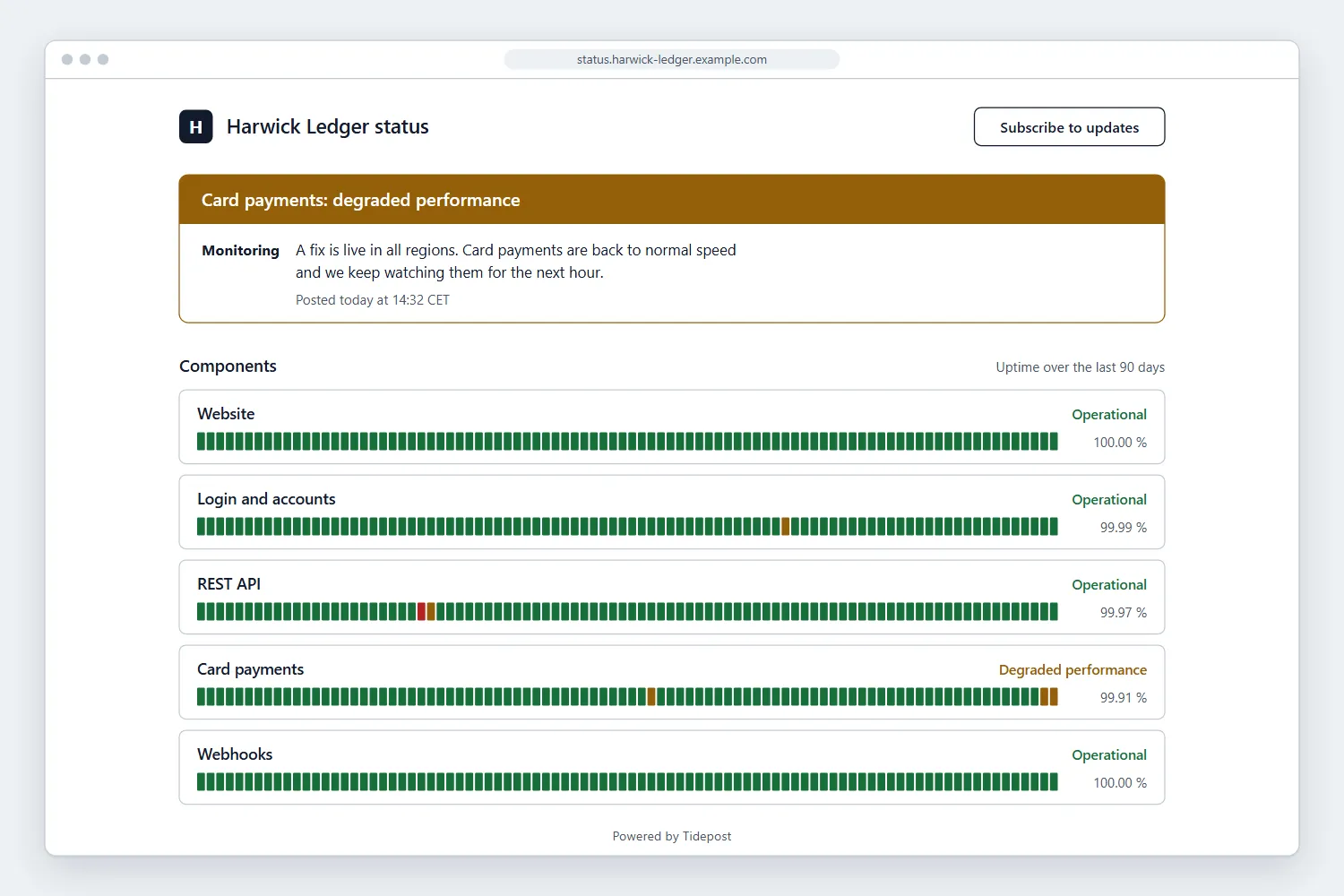
A fast page on your own domain that works with a keyboard and a screen reader and loads without scripts.
Incident updates
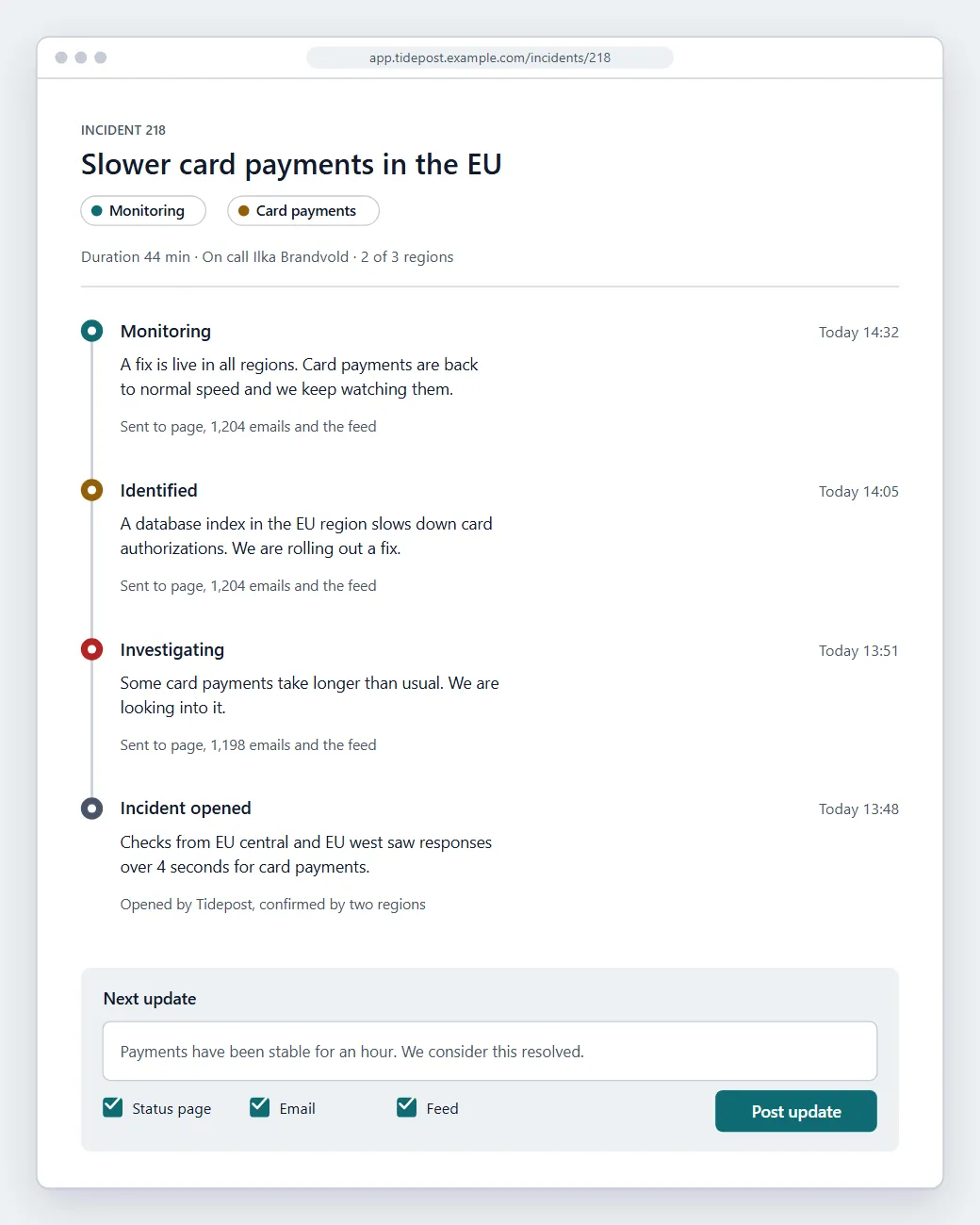
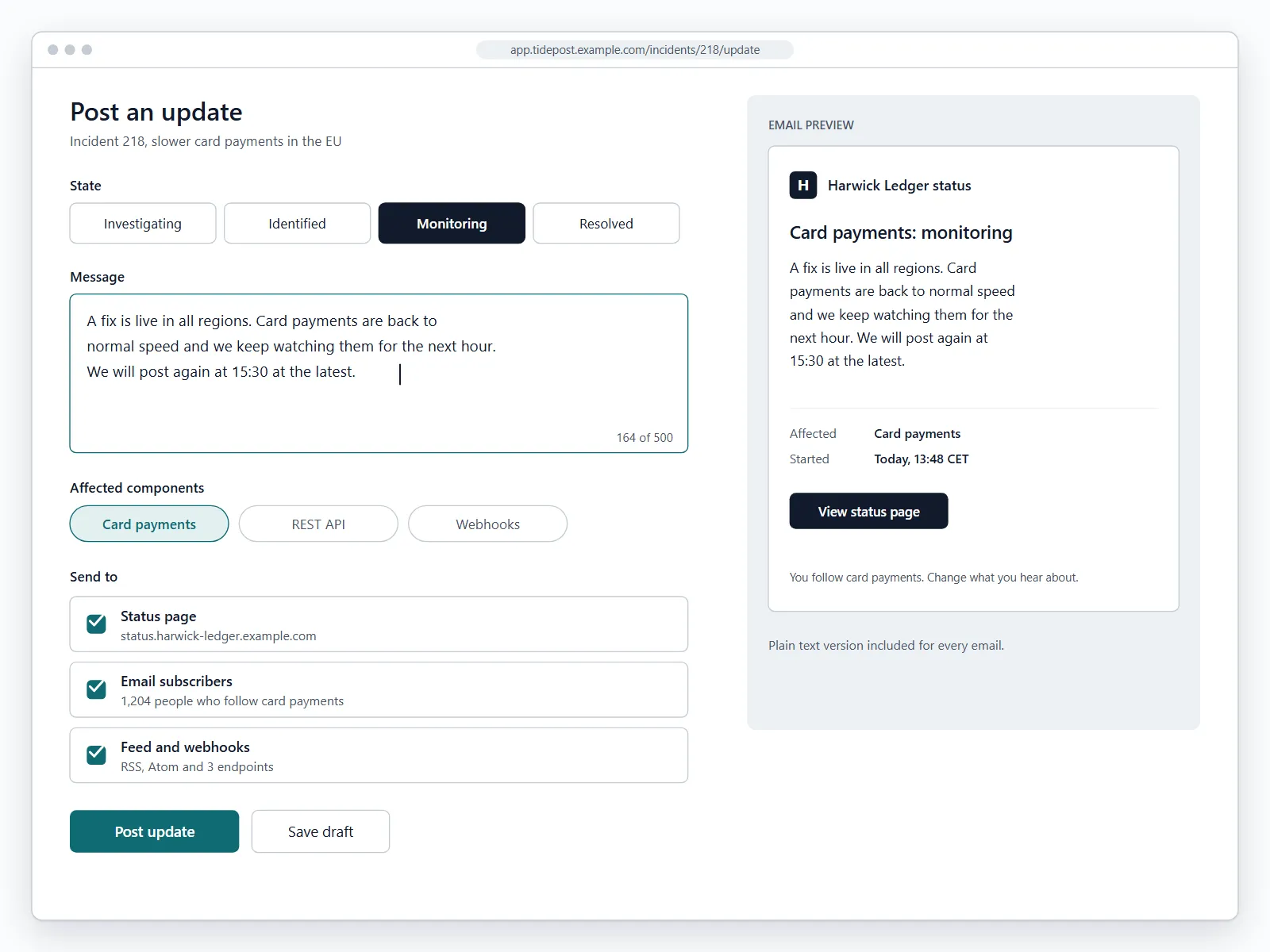
Write one update and it reaches the page, email subscribers and the feed at the same time.
Scheduled maintenance
Announce planned work in advance. Subscribers get a reminder an hour before it starts.
Subscriber notices
Customers choose the components they care about and only hear about those.
Team on call
Rotations, escalation after ten minutes and quiet hours for every person.
Customer story
During our last database outage we posted four updates in an hour and got two support tickets. The year before, the same kind of outage brought in more than two hundred.
Ilka Brandvold
Head of Support, Harwick Ledger
From the first check to the first update in four steps
01
Add your services
Enter the addresses to watch or send a heartbeat from your jobs. Tidepost suggests sensible intervals.
02
Group components
Sort checks into the parts customers know, such as login, API and billing.
03
Publish the page
Point a subdomain at Tidepost and choose the colors and logo of your brand.
04
Invite the team
Decide who gets alerted and who may post updates. Everyone else can read along.
The big picture for customers, the detail for your team
Customers see one clear answer: is it working right now. Your team sees the timeline behind it, with every check, alert and update in order.
Built for the minutes that matter
Figures from the Tidepost sample data. Replace them with your own measurements before you publish.
60 s
Check interval on every plan
2 of 3
Regions must agree before an incident opens
4 min
Median time to the first update
2 years
Incident history kept on every plan
Ready before the next outage
Set up your status page this afternoon.
Try every plan free for 14 days, no card needed. We move your incidents and subscribers from the tool you use today.